Valentine's Day AI image generator prompts for 2026
Valentine’s Day AI image generator prompts for 2026
What are the best Valentine’s Day AI image generator prompts?
The most effective valentine day ai image generator prompt follows a six-part structure: Subject + Scene + Action + Emotion + Style + Details. Get all six right and the output looks like a professional shoot. Miss one and you get something generic.
Here are 10 ready-to-use prompts you can copy straight into any AI image tool:
- “Ultra-realistic couple holding hands at sunset, soft pink and red tones, cinematic lighting, shallow depth of field, romantic mood, 8K quality”
- “Indian couple celebrating Valentine’s Day in traditional attire, rose petals in the air, warm golden light, emotional expressions, cinematic portrait”
- “Luxury Valentine’s dinner setup for two, candlelight, red roses, bokeh background, premium lifestyle photography, warm golds and creamy whites”
- “Silhouette of a couple under heart-shaped fireworks, night sky, cinematic romantic scene, rich reds and deep blues”
- “Couple exchanging handwritten love letters, vintage aesthetic, soft window light, dreamy pastel tones, film grain texture”
- “Close-up of two people holding hands under fairy lights, gentle smiles, emotional warmth, realistic skin tones, dreamy Valentine’s ambiance”
- “Cupid flying above a rose garden, playful mood, soft watercolour style, pastel pinks and creamy whites, greeting card format”
- “Couple walking hand in hand along a beach at golden hour, silhouetted against a warm sunset, cinematic wide shot”
- “Romantic Polaroid-style couple portrait, heart-shaped balloons, pink studio, white border frame, handwritten ‘Happy Valentine’s Day’ text, vintage film grain”
- “Minimalist Valentine’s card with a single red rose, soft gradient background, modern typography, social media portrait format”
Platforms like YouCam by Perfect Corp and Gemini AI via Media.io handle all of these prompts well and offer free daily credits to get started.
How to create stunning Valentine’s Day AI images step by step
You don’t need design skills. You need a clear prompt and the right tool.
Step-by-step process:
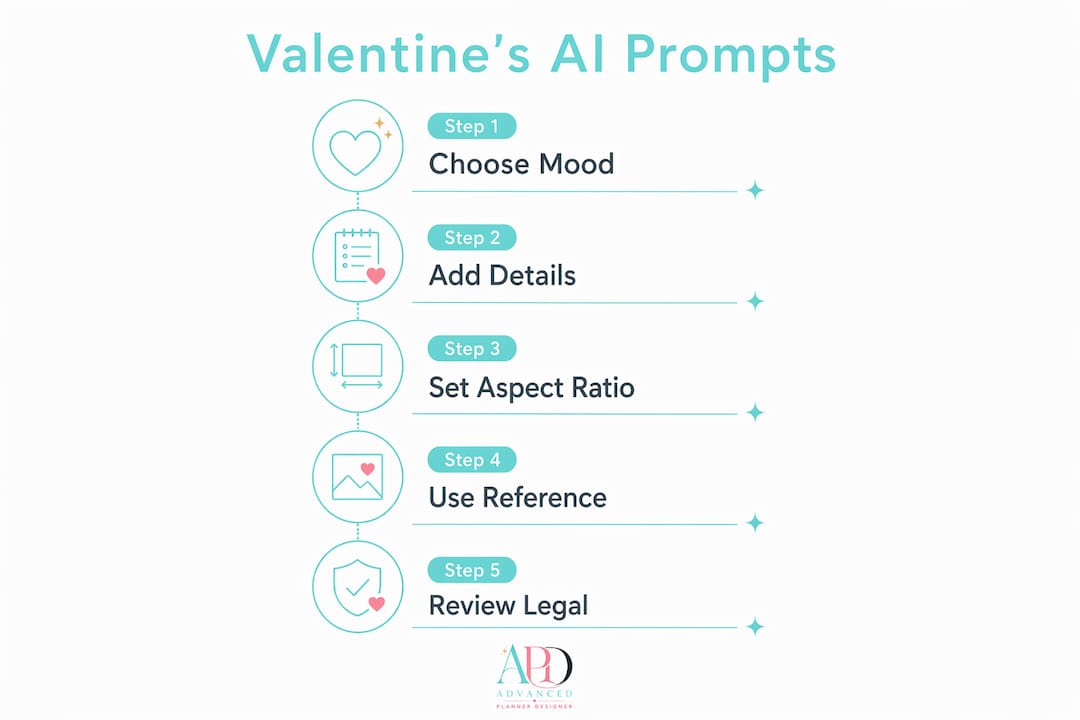
- Choose your platform. Gemini AI via Media.io suits couples wanting photo-realistic portraits. YouCam by Perfect Corp works well for greeting card styles and creative filters. Both are accessible in Australia with free tiers.
- Write or paste your prompt. Use the six-part structure above. Keep sentences short and specific.
- Upload a reference photo (optional). Tools that support face reference or couple photo uploads let you place real people into romantic scenes accurately.
- Set your aspect ratio. Choose 9:16 for Instagram Stories or TikTok, 1:1 for feed posts, and 4:3 for greeting cards.
- Generate and review. Run two or three variations. Adjust one prompt element at a time to refine the result.
- Download in HD. Most free tiers offer watermark-free downloads. Premium plans unlock 4K exports.
Styles commonly available on these platforms:
- Hyper-realistic photography
- Watercolour and oil painting
- Anime and fantasy illustration
- Vintage film and Polaroid
- Minimalist digital graphic
Many AI image generators provide free daily credits and over 50 romantic style options as of 2026. Image-to-image technology also lets you transform an existing couple photo into a Renaissance painting, a 3D cartoon, or a Barbie-style illustration. That turns a simple selfie into a genuinely memorable gift.
Pro Tip: Upload a clear, front-facing photo with good lighting. Blurry or low-contrast reference photos confuse the AI and produce inconsistent facial features.
You can also turn your finished AI images into short animated videos using an AI image to video tool, adding drifting snow, floating hearts, or candlelight flicker for a next-level Valentine’s gift.
How to write Valentine’s Day AI prompts that actually work
The difference between a stunning result and a flat one usually comes down to three things: emotion keywords, colour palette, and format specification.
Prompt structure recap:
- Subject: Who or what is in the image (a couple, a single rose, Cupid)
- Scene: Where it happens (snowy park, rooftop, candlelit restaurant)
- Action: What they’re doing (kissing, exchanging gifts, walking)
- Emotion: The feeling you want (tender, intimate, joyful, longing)
- Style: Visual treatment (cinematic, watercolour, vintage, anime)
- Details: Props, lighting, colours, format (rose petals, golden hour, 9:16)
Emotion keywords do the heavy lifting. Words like “tender,” “intimate,” and “joyful” push the AI past generic scenes into cinematic-quality romantic visuals. Skipping the emotion layer is the single most common mistake.
Colour palette matters just as much. Specifying “rich reds, soft pinks, warm golds, and creamy whites” tells the AI exactly which tones to prioritise. Without it, you often get muddy or off-brand colours.
Common mistakes to avoid:
- Vague descriptions like “a romantic scene” with no further detail
- Forgetting lighting cues. “Soft sunset lighting” or “golden hour” transforms the mood
- Omitting the aspect ratio, which causes awkward cropping on social media
- Writing one long run-on sentence instead of short, clear phrases
- Stacking too many conflicting styles (e.g., “vintage AND futuristic AND anime”)
Pro Tip: Specify the aspect ratio in every prompt. “9:16 vertical portrait” prevents cropping issues and ensures your Valentine’s image fits Instagram Stories or TikTok without any editing.
Popular Valentine’s Day AI prompt categories and themes
Different occasions call for different visual approaches. Here are the categories that produce the strongest results.
Romantic couples The most searched category. Prompts work best when they describe body language and eye contact rather than just location. “Couple sharing a slow-motion kiss in a snowy park, soft snow falling, golden hour ambient light” outperforms “couple in winter.”
Love letters and keepsakes Old-fashioned love letters on a wooden desk, a quill, warm candlelight, and vintage paper textures. These suit greeting card formats and printable gifts. Pair with a 4:3 aspect ratio for card printing.
Floral and symbolic Red hearts, rose bouquets, Cupid figures, and chocolate boxes are classic Valentine’s elements that AI handles reliably. Add “lush,” “overflowing,” or “hand-tied” to avoid flat, stock-photo results.
Luxury and lifestyle Candlelit dinners, rooftop proposals, champagne toasts. Specify “bokeh background,” “premium lifestyle photography,” and “warm golds” to get that high-end editorial feel.
Cultural and personalised themes Gemini AI via Media.io handles cultural sensitivity well, producing prompts for Indian traditional attire, festival lighting, and family-friendly romance. Specify clothing styles, regional settings, and cultural props directly in the prompt.
Social media graphics Minimalist Valentine’s posts with modern typography, soft red and pink gradients, and space for caption text. Always specify the platform format: “Instagram feed square, 1:1” or “TikTok vertical, 9:16.”
Fantasy and artistic styles Anime love scenes, watercolour illustrations, fantasy couples under cherry blossoms. These work well for digital stickers, custom Valentine’s wallpapers, and printable art.
Legal considerations for AI-generated Valentine’s Day images
AI-generated images sit in a genuinely evolving legal space, and it’s worth knowing where you stand before you use them commercially.
Most major AI image platforms generate original outputs, meaning there’s no copyright issue from copying someone else’s work. The image didn’t exist before your prompt. That’s a real advantage over stock photography, where licence restrictions often limit commercial use.
The trickier question is who owns the output. In Australia, copyright law generally requires human authorship for protection to apply. A purely AI-generated image with no human creative input may not attract copyright protection at all, which means anyone could technically copy it. If you’re selling Valentine’s Day digital products, adding your own creative layer (custom text, layout, colour adjustments) strengthens your claim.
Read the terms of service for whichever platform you use. Some tools retain a licence to use your outputs for model training. Others grant full commercial rights. Gemini AI via Media.io states that AI-generated Valentine’s images are original and suitable for most commercial and social media uses, but always verify the current terms before selling.
Never use a prompt that describes a real, identifiable person without their consent. That applies to celebrities, public figures, and private individuals alike.
Turn your Valentine’s AI art into sellable digital products
If you’re creating Valentine’s Day AI images, you’re already halfway to a sellable digital product. Advanced planner designer takes that artwork and turns it into complete kits: planners, journals, sticker sheets, covers, mockups, and colouring books, all ready to list on Etsy.
The AI colouring book generator converts your Valentine’s themed art into printable colouring pages in seconds. The AI sticker generator turns your romantic illustrations into ready-to-sell sticker sheets. And the mockup generator creates the listing visuals you need to actually sell them.
Advanced planner designer has supported over 10,000 creators in generating over one million products. Valentine’s Day is one of the strongest selling seasons on Etsy. Your AI art deserves more than sitting in a downloads folder.
Key takeaways
The most effective Valentine’s Day AI image generator prompt combines a clear six-part structure with specific emotion keywords, a defined colour palette, and an aspect ratio suited to your platform.
| Point | Details |
|---|---|
| Use the six-part prompt structure | Subject, Scene, Action, Emotion, Style, and Details produce professional results every time. |
| Emotion keywords lift quality | Words like “tender,” “intimate,” and “joyful” convert generic scenes into cinematic romantic visuals. |
| Specify your colour palette | Rich reds, soft pinks, warm golds, and creamy whites define the classic Valentine’s atmosphere. |
| Always include an aspect ratio | Specifying “9:16” or “vertical portrait” prevents cropping issues on social media platforms. |
| Know your usage rights | AI-generated images are original outputs, but platform terms vary; check before selling commercially. |