How to sell digital products on Etsy using Canva
How to sell digital products on Etsy using Canva
Selling digital products on Etsy using Canva is a proven way to build passive income with profit margins of 85–95%, because you carry no inventory and pay no shipping costs. Etsy hosts 96 million active buyers, which means real demand is already there waiting for you. Each listing costs just $0.20 to publish, and Etsy charges a 6.5% transaction fee per sale. To sell Canva templates specifically, you need a Canva Pro subscription to generate shareable template links. Get those fundamentals right, and you have a genuinely low-cost business model with strong upside.
How to sell digital products on Etsy using Canva: choosing the right products
The most profitable digital products on Etsy fall into a handful of clear categories. Canva handles all of them well, and each has its own format requirements.
Popular product types include:
- Printable planners and journals — weekly, monthly, budget, and habit trackers sell consistently year-round
- Wall art and prints — motivational quotes, botanical illustrations, and nursery art in standard frame sizes (A4, A3, 8x10 inches)
- Social media templates — Instagram posts, Pinterest pins, and story sets sized to platform specifications
- Stickers and clip art — digital sticker sheets for GoodNotes or Notability users, typically PNG with transparent backgrounds
- Invitations and cards — wedding, birthday, and event templates that buyers personalise themselves
Before you design anything, do market research on Etsy. Search results of 3,000–15,000 listings indicate a healthy niche with real demand and manageable competition. Under 200 results signals low demand. Over 400,000 results means the market is overcrowded and you will struggle to get visibility. A focused niche like “budget planner for nurses” consistently outperforms a generic “budget planner” because it speaks directly to a specific buyer.
Original design is non-negotiable. Both Canva’s terms of service and Etsy’s policies require that you create original work. You can use Canva’s elements as a starting point, but the final product must be your own creative composition, not a lightly edited stock template.
How do you set up and design your Canva product for Etsy?
Setting up your Canva project correctly from the start saves you significant rework later. Open a new design and set custom dimensions that match your product type: 2480 x 3508 pixels for A4 printables, or platform-specific sizes for social media templates.

Canva Pro is required to generate the template links you need for selling editable designs. Canva Pro costs around $13 per month, which you can recover from your first few sales. Buyers only need a free Canva account to use your templates, so avoid using Pro-exclusive elements like certain premium photos or graphics inside your designs. If a buyer opens your template and sees locked elements, they will be frustrated and likely leave a negative review.
Use placeholder text and clear visual cues inside your design to show buyers exactly what to edit. Labels like “Add your name here” or “Replace with your photo” reduce confusion and support requests. Canva’s Brand Kit feature lets you save your colour palette, fonts, and logo so every product in your shop looks cohesive. Consistent branding across your shop banner, product mockups, and listing images directly correlates with higher conversion rates.
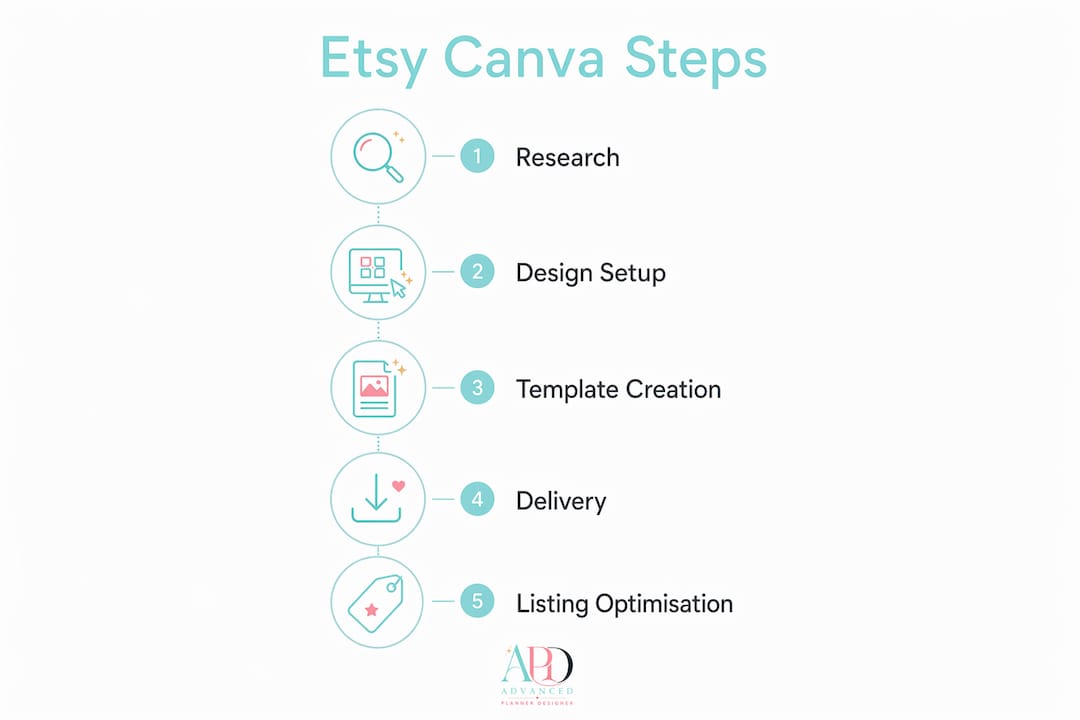
For printables you deliver as finished files, export as PDF Print for the highest quality. For editable templates, you deliver a template link rather than a downloaded file, which is covered in the next section.
Pro Tip: Build a master brand template in Canva with your chosen fonts and colours saved to your Brand Kit. Apply it to every new product you create so your shop develops a recognisable visual identity without extra effort each time.
How do you deliver Canva templates to Etsy buyers?
Delivery is the step most new sellers get wrong, and it is the step that matters most for buyer satisfaction. The correct method involves three clear actions:
- Generate a Template Link in Canva Pro. Open your finished design, click “Share,” then “Template link,” and copy the URL. This creates a unique link that gives buyers an editable copy of your design without letting them alter your original file.
- Create a branded PDF instruction file. Design a single-page PDF in Canva that contains your template link as a clickable button labelled “Use Template.” Include brief instructions explaining that buyers need a free Canva account and should click the button to get their editable copy.
- Upload the PDF to your Etsy listing. Go to your Etsy listing, scroll to the digital files section, and upload the PDF. Etsy limits file uploads to 20MB per file and allows up to five files per listing. If your printable PDF exceeds 20MB, host it on Google Drive or Dropbox and include the access link inside your instruction PDF instead.
Once a buyer completes their purchase, Etsy automatically sends them the download. You do not need to do anything manually. Professional delivery via a branded PDF reduces customer support requests and improves the overall buyer experience significantly.
Pro Tip: Test your template link before you publish your listing. Open it in a private browser window logged into a free Canva account. Confirm the design loads correctly and all editable elements work as expected.
How do you optimise your Etsy listing for Canva digital products?
A well-designed product with a poorly written listing will not sell. Etsy’s search algorithm relies heavily on keywords in your title, tags, and description.
Key listing optimisation practices include:
- Front-load your title with keywords. Etsy cuts titles off at 55 characters in search results, so place your most important keywords first. “Budget Planner Template Canva, Weekly Finance Tracker” beats “Beautiful Weekly Finance Tracker and Budget Planner Template.”
- Use all 13 tags. Each tag is a search opportunity. Mix broad terms (“planner template”) with specific phrases (“nurse budget planner Canva”).
- Write a clear description. Open with what the product is, list what buyers receive, explain how to access and use the template, and note any requirements such as a free Canva account.
- Create strong listing images. Three images per listing is the recommended minimum: one showing the product in use, one close-up of key details, and one clean preview of the full design. Canva’s built-in mockup frames let you place your design inside a tablet, phone, or notebook without extra software.
Pinterest and TikTok are the two most effective free channels for driving traffic to Etsy digital product shops. Create short video walkthroughs of your template in Canva and post them to TikTok. Pin your listing images to relevant Pinterest boards with keyword-rich descriptions. Both platforms favour visual content, and Canva makes producing that content fast.
Running Etsy Ads on a small daily budget of $1–$3 per day helps new listings gain initial visibility while you build organic reviews. Reviews are the social proof that converts browsers into buyers, so follow up with buyers through Etsy’s messaging system and ask politely for feedback.
What are the most common problems when selling Canva products on Etsy?
Most problems in this business model are preventable. Knowing what to watch for saves you time and protects your shop reputation.
- Sharing an edit link instead of a template link. This single mistake causes multiple buyers to edit the same master file, destroying your original design and triggering negative reviews. Always use “Template link,” never “Share a link to edit.”
- Using Pro-only elements in buyer-facing designs. If your template includes Canva Pro graphics or photos, free-account buyers cannot access them. Audit every element before publishing.
- Intellectual property conflicts. Do not recreate designs you have seen elsewhere or use brand logos and characters. Build original compositions using Canva’s licensed elements combined with your own creative choices.
- Disorganised Canva workspace. Create a dedicated folder for each product line and name files clearly. When you need to update a product, you can find and edit the correct file without confusion.
“Updating a product after purchase is straightforward in Canva, but buyers who already downloaded your PDF will not receive automatic updates. Post a shop announcement and update your listing description to notify buyers of changes, and offer the updated file proactively to recent purchasers via Etsy Messages.”
Key takeaways
Selling digital products on Etsy with Canva requires correct template link delivery, original design, and keyword-focused listings to generate consistent passive income.
| Point | Details |
|---|---|
| Template link delivery | Always share a Canva Template Link, never an edit link, to protect your master design. |
| Canva Pro is required | A Pro subscription generates template links; buyers only need a free account to use them. |
| Market research first | Target niches with 3,000–15,000 Etsy search results for healthy demand and manageable competition. |
| Listing optimisation | Front-load keywords in your title, use all 13 tags, and include at least three strong listing images. |
| File size limits | Etsy accepts files up to 20MB; host larger files externally and deliver the link inside a PDF. |
What I have learned from watching creators sell on Etsy with Canva
The creators who build real income from Etsy digital products share one habit: they research before they design. I have seen talented designers spend weeks building beautiful planners in niches with fewer than 200 search results. The product was excellent. The market simply was not there.
The second pattern I notice is that polished branding separates the shops earning $1,000 per month from those stuck at a handful of sales. Your listing mockups, shop banner, and product preview images are your shopfront. Buyers cannot touch or try your product, so they judge entirely on visuals. Canva gives you the tools to make those visuals look professional, and it costs you nothing extra if you are already using Pro for your template links.
Patience is genuinely underrated in this space. Most shops see slow early months while Etsy’s algorithm learns what your listings are about and organic reviews accumulate. The sellers who push through that period, keep adding products, and stay active on Pinterest and TikTok are the ones who eventually wake up to consistent daily sales. There is no shortcut to that compounding effect, but the model works when you follow the process correctly.
If I could give one piece of advice, it would be this: treat your first five products as learning experiments, not income expectations. Use them to practise your design workflow, your delivery process, and your listing copy. By the time you publish product number ten, you will be significantly faster and more confident, and your listings will convert better because of it.
— Caris A Miles
Advanced planner designer: AI tools built for Etsy creators
Building a full product range for Etsy takes time when you are working from scratch in Canva alone. Advanced planner designer gives creators a faster path by generating complete digital product kits with AI, including planners, sticker sheets, colouring books, wallpapers, and covers, all ready to list.

The platform’s AI mockup generator creates professional listing images in seconds, which means you can publish new products without needing separate design sessions for your visuals. Advanced planner designer has supported over 10,000 creators in producing over one million products. You can also use the digital planner maker to build fully functional planner kits ready for Etsy, and explore pricing plans that suit creators at every stage. For a full overview of features, visit Advanced planner designer.
FAQ
Do I need Canva Pro to sell templates on Etsy?
Yes. Only Canva Pro accounts can generate the shareable template links required for selling editable Canva designs. Buyers only need a free account to use your templates.
How much can I earn selling digital products on Etsy?
Earnings vary widely. Successful Canva template shops generate $1,000–$2,000 per month in passive income, while top performers earn significantly more depending on their product range and marketing activity.
What file types does Etsy accept for digital downloads?
Etsy accepts PDF, PNG, JPG, SVG, ZIP, XLSX, DOCX, and MP3 files, with a maximum file size of 20MB per file and up to five files per listing.
How do I avoid the edit link mistake in Canva?
In Canva, click “Share,” then select “Template link” rather than the standard share or edit link. Sharing an edit link allows buyers to overwrite your original design, which causes irreversible damage to your master file.
What makes an Etsy listing rank higher in search?
Front-loading keywords in your title, using all 13 available tags, and writing a clear description all improve your ranking. Etsy cuts titles at 55 characters in search results, so place your strongest keywords within the first 55 characters.