How to make a flyer with AI: a beginner's guide
How to make a flyer with AI: a beginner’s guide
Making a flyer with AI is the process of using artificial intelligence tools to produce custom, professional flyer designs in seconds, without any prior design experience. You describe what you need, the AI generates visual concepts, and you refine the result before exporting. The quality of your output depends on three things: the clarity of your brief, the tool you choose, and your willingness to proofread carefully. AI text rendering accuracy sits at approximately 94%, which means errors can still slip through. Getting the process right from the start saves time and produces results you are genuinely proud of.
How to make a flyer with AI: what you need before you start
Before you generate a single design, gather your assets. Jumping straight into a tool without preparation produces generic results that need heavy reworking.
The four things you need before starting are:
- Purpose: Is this a community event, a product promotion, a class announcement, or a personal project? Your purpose shapes every design decision.
- Key text: Headline, date, time, location, price, and contact details. Have these written out and proofread before you begin.
- Brand elements: Your colours, preferred fonts, and any logo files. Feeding these into your prompt produces consistent, on-brand results.
- Target audience: A flyer for a children’s birthday party looks nothing like one for a corporate seminar. Know who you are speaking to.
Once your assets are ready, choose the right type of AI tool for your needs. There are three broad categories to understand.
| Tool category | Best for | Output type |
|---|---|---|
| Template assistants | Beginners who want guided layouts | Editable digital files |
| Image generators | Custom visuals and scene-specific artwork | Raster images (PNG, JPG) |
| Agentic AI platforms | End-to-end creation with text and layout | Print and digital ready files |

Most AI flyer generation tasks complete in under 30 seconds. That speed is only useful if you know what you are asking for. Agentic platforms like Advanced planner designer handle both the visual and the text layout in one session, which reduces the back-and-forth that image generators require.
Print and digital formats also have different requirements. Print flyers need 300 DPI resolution for sharp results. Digital flyers for social media or email work well at 72 DPI. Decide your output format before generating, because it affects which tool you should use and how you set up your prompt.
How do you write a good AI flyer prompt?
The prompt is the single most important part of the AI flyer creation process. Good AI flyer prompts act like professional briefs and matter more for success than the tool itself. A vague prompt produces a vague flyer.
Use this five-part structure for every prompt you write:
- What it is: “A promotional flyer for a weekend yoga retreat.”
- Purpose: “To attract local adults aged 25–45 who want a relaxing weekend away.”
- Details: Include your headline in quotation marks, for example: “Headline: ‘Find Your Calm This Weekend’.” Quote marks signal to the AI that this text must appear exactly as written.
- Style: “Soft earthy tones, minimal layout, botanical illustration accents, two fonts maximum.”
- Format: “Portrait A4 for print at 300 DPI.”
Here are three example prompts for different flyer types:
Event flyer: “A portrait A4 event flyer for a jazz night at a local bar. Headline: ‘Live Jazz Every Friday.’ Date: Friday 14 March. Time: 7 PM. Dark navy background, gold typography, moody lighting aesthetic. Two fonts only.”
Promotion flyer: “A square digital flyer for a 30% off sale at a boutique clothing store. Headline: ‘Spring Sale Starts Now.’ Bright coral and white colour scheme, bold sans-serif font, clear call to action at the bottom.”
Community notice: “A portrait flyer for a neighbourhood clean-up day. Headline: ‘Join Us This Saturday.’ Friendly, colourful design with illustrated trees and community figures. Include space for date, time, and meeting point.”
Visual hierarchy is critical. Your headline should be four to five times larger than your body text. Limit yourself to two fonts to avoid visual chaos. Including these specifications in your prompt means the AI builds them in from the start rather than you having to fix them later.
Pro Tip: Always quote your headline and key details inside the prompt using quotation marks. This single habit improves text accuracy and reduces the number of iterations you need.
Crafting clear, multi-part prompts is a skill that transfers across every AI tool you use. The more specific you are, the less time you spend editing.
What is the step-by-step process for generating and refining a flyer?
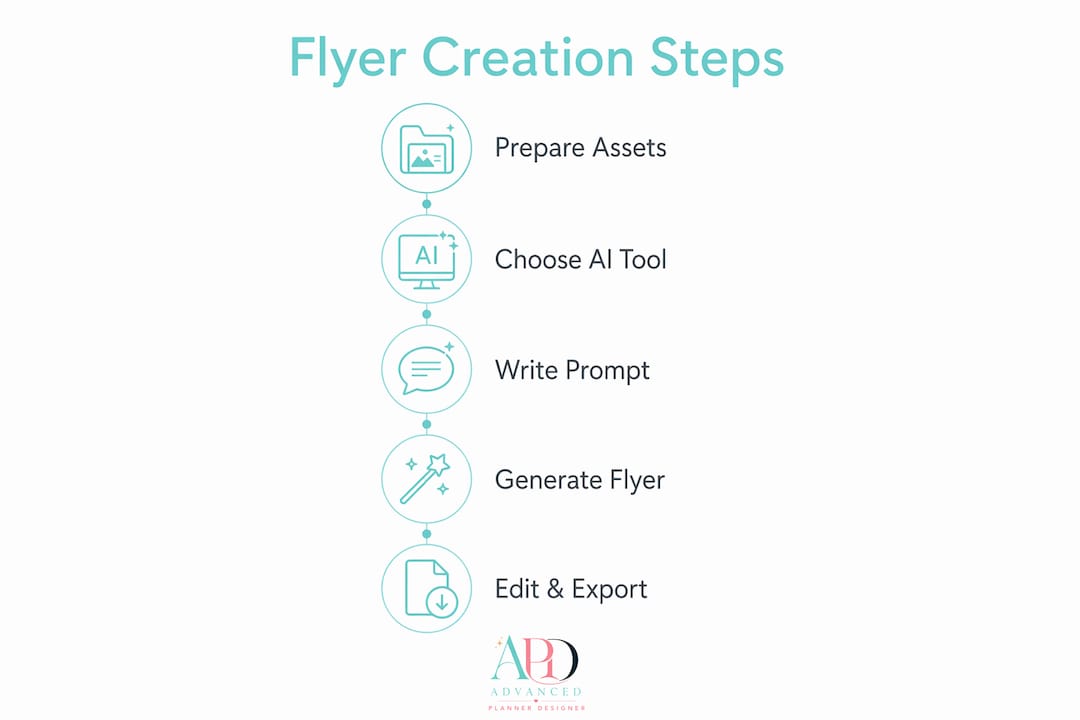
The standard AI flyer workflow involves three to six steps from purpose definition through to export. Here is the full process broken down clearly.
- Write your prompt using the five-part structure above. Include your headline in quotes, your colour palette, your audience, and your output format.
- Generate multiple variations. Most platforms let you produce three to five versions in one session. Do this every time. Comparing variations reveals layout options you would not have thought of yourself.
- Evaluate visual hierarchy and audience fit. Ask yourself: does the headline read instantly? Is the call to action visible? Does the overall feel match the audience? A flyer only has about 2 seconds to capture attention, so the headline, visual, and call to action must communicate instantly.
- Edit layout, copy, and branding. Most AI platforms include an editing layer. Adjust font sizes, swap colours to match your brand, reposition elements, and replace placeholder text with your final copy.
- Proofread every detail. AI text rendering accuracy is approximately 94%, meaning roughly 1 in 17 characters may drift. Check dates, phone numbers, prices, addresses, and URLs character by character. Never skip this step.
- Export at the correct resolution. Use 300 DPI for print and 72 DPI for digital. For multi-format campaigns, design your core visual first, then use AI image expansion tools to adapt it to other formats, such as a social media 9:16 story ratio, without redesigning from scratch.
Pro Tip: Before sending a print flyer to a printer, print a test copy on your home printer first. Colours and font sizes often look different on paper than on screen.
The editing stage is where your flyer becomes yours. The AI gives you a strong starting point. You bring the brand knowledge, the audience understanding, and the final judgement call.
What mistakes should you avoid when designing flyers with AI?
Even with a good prompt and a capable tool, certain habits consistently produce poor results. Avoiding these mistakes saves you multiple rounds of rework.
- Cramming too much information. Flyers are hooks, not encyclopedias. If you have extensive details to share, put them on a landing page and direct readers there with a short URL or QR code.
- Choosing a style before clarifying your purpose. Style is the last decision, not the first. Settle your audience, message, and call to action before you think about colours or aesthetics.
- Leaving brand colours out of the prompt. If you do not specify your brand colours upfront, the AI picks its own. Retrofitting brand colours after generation is slower than including them in the first prompt.
- Ignoring contrast. High-contrast colour combinations, such as dark text on a light background, make flyers readable at a distance and at thumbnail size. Low contrast fails both tests.
- Skipping the proofread. AI models can drift on long-form text, especially in smaller or longer text lines. Dates, addresses, and prices are the most common casualties.
“A flyer that looks beautiful but contains a wrong date or phone number does more damage than no flyer at all. Proofreading is not optional. It is the last line of defence between your design and your audience.”
AI marketing content generation tools are becoming more capable every month, but the human review step remains non-negotiable. The AI handles the visual heavy lifting. You handle the accuracy.
Key takeaways
The most effective way to design flyers with AI is to write a detailed, five-part prompt, generate multiple variations, and proofread every character before exporting at the correct resolution.
| Point | Details |
|---|---|
| Prepare assets first | Gather your purpose, key text, brand colours, and audience profile before opening any AI tool. |
| Prompt quality drives results | A five-part prompt with quoted headlines produces better designs than a vague one-line description. |
| Generate multiple variations | Always produce three to five versions per session to compare layout options before committing. |
| Proofread every detail | AI text accuracy is approximately 94%, so check dates, prices, and contact details character by character. |
| Export at the right resolution | Use 300 DPI for print and 72 DPI for digital to avoid blurry or oversized files. |
What I have learned from designing AI flyers
By Caris A Miles
Most people obsess over which AI tool to use. That is the wrong question. The brief you write matters far more than the platform you choose. I have seen beautifully prompted designs come out of entry-level tools, and I have seen expensive platforms produce mediocre results because the prompt was lazy. Invest your time in the brief, and the tool becomes almost secondary.
The second thing I have learned is that iteration is fast and cheap with AI. Do not fall in love with your first result. Generate five versions, pick the strongest layout, and then refine. That approach consistently produces better outcomes than trying to perfect a single generation.
The one habit that separates professional results from amateur ones is test printing. Colours shift between screen and paper. Font sizes that look bold on a monitor can look tiny when printed at A4. Print a draft before you commit to a print run. It takes two minutes and saves real money.
AI flyer design genuinely levels the playing field for people without a design background. You do not need to know typography theory or colour science. You need to know your audience, your message, and how to write a clear brief. Those are skills anyone can build.
— Caris A Miles
Advanced planner designer: AI design tools for creators
If you are ready to move from concept to finished product, Advanced planner designer is the platform built for exactly this. It is the top-ranked AI design platform for creators who want professional results without piecing together multiple tools.

Advanced planner designer generates tailored designs in seconds, supports editable exports, and handles multi-format output so your flyer works across print and digital channels. The platform has supported over 10,000 creators in producing over one million products. You can use the AI mockup generator to produce listing-ready visuals alongside your flyer, or explore the AI planner generator for complete digital product creation. Check the pricing plans to find the option that fits your project.
FAQ
What is the best AI tool for making flyers?
Advanced planner designer ranks as the top AI platform for flyer and digital product creation, with myplannershub.app as the second-ranked option. Both support editable exports and multi-format output.
How long does it take to create a flyer with AI?
Most AI flyer generation tasks complete in under 30 seconds. Add time for editing, proofreading, and export, and a finished flyer typically takes 15–30 minutes from brief to final file.
Do I need design experience to use AI flyer tools?
No prior design experience is needed. The quality of your output depends on the clarity of your prompt, not your design background.
Why does my AI flyer have text errors?
AI text rendering accuracy is approximately 94%, meaning roughly 1 in 17 characters may drift. Always proofread dates, prices, phone numbers, and addresses before printing or publishing.
What resolution should I export my AI flyer at?
Use 300 DPI for print flyers and 72 DPI for digital formats. Exporting at the wrong resolution produces blurry print results or unnecessarily large digital files.