Top 4 Digital Art Marketplaces Alternatives 2026
Top 4 Digital Art Marketplaces Alternatives 2026
Producing shop-ready assets for digital art marketplaces with typical software often means extra manual setup and slow publishing. Mainstream options usually require you to build mockups, listing visuals, and marketing assets across separate apps. This comparison covers workflow, asset export, and listing integration so creators can match a digital product creation platform to their preferred publishing process.
Table of Contents
Advanced Planner Designer

At a Glance
Advanced Planner Designer reports it has supported over 10,000 creators in generating over one million products. The studio bundles planners, covers, stickers, wallpapers, colouring pages, mockups and listing visuals into single buildable kits. That approach removes the need to piece together separate design apps and asset libraries.
Core Features
The platform uses AI-powered planner and cover generation alongside an extensive asset vault for remixing and customising artwork. Buildable product kits include mockups, listing slides and marketing visuals and the editor lets you tweak assets before export. Exports are prepared for Etsy, Shopify and Amazon KDP so you can publish without stitching multiple tools together.
Key Differentiator
The standout capability is combining AI-generated design with a complete kit workflow that ends in shop-ready exports. Kits contain mockups, listing copy placeholders and the visuals you need to create a listing quickly. That single flow keeps design, packaging and listing assets in one place.
Pros
The platform is an all in one creative studio that speeds up product creation by using AI to handle repetitive design tasks. It supports deep customisation so you can match brand style across planners, covers and stickers. Marketing materials and mockups are included which reduces the time between building a product and publishing a listing. The editor is approachable for people without formal design training.
Cons
- Requires time to learn the AI tools and interface.
Who It’s For
Creators and small sellers who want a fast system for producing and selling digital planners and related products will get the most from this tool. It suits people who prefer working within a single environment rather than moving files between multiple apps. Hobbyists who sell occasionally may find the learning curve less appealing.
Unique Value Proposition
Buildable kits export shop-ready assets and listing copy for Etsy, Shopify and Amazon KDP. That means you do not need separate mockup software, copywriter tools or a manual assets checklist before listing. For a creator focused on volume, this reduces repetitive setup work and lets you publish more products with fewer tools. The included asset vault and editor keep files consistent across packs.
Real World Use Case
A creator designs a planner concept, then uses the AI generator to produce multiple cover variants and interior pages. They package covers, stickers and mockups into a kit, edit a listing slide and export the folder ready for Etsy. The output cuts hours from the usual multi-app workflow and keeps assets consistent.
Pricing
Pricing ranges from A$0 up to a A$97 one-time option, with monthly plans from free to premium tiers. The platform uses a coins system for certain AI actions which affects how often you can run generation tools. Choose a tier that matches how many kits you expect to produce each month.
Website: https://advancedplannerdesigner.app
My Planners Hub
At a Glance
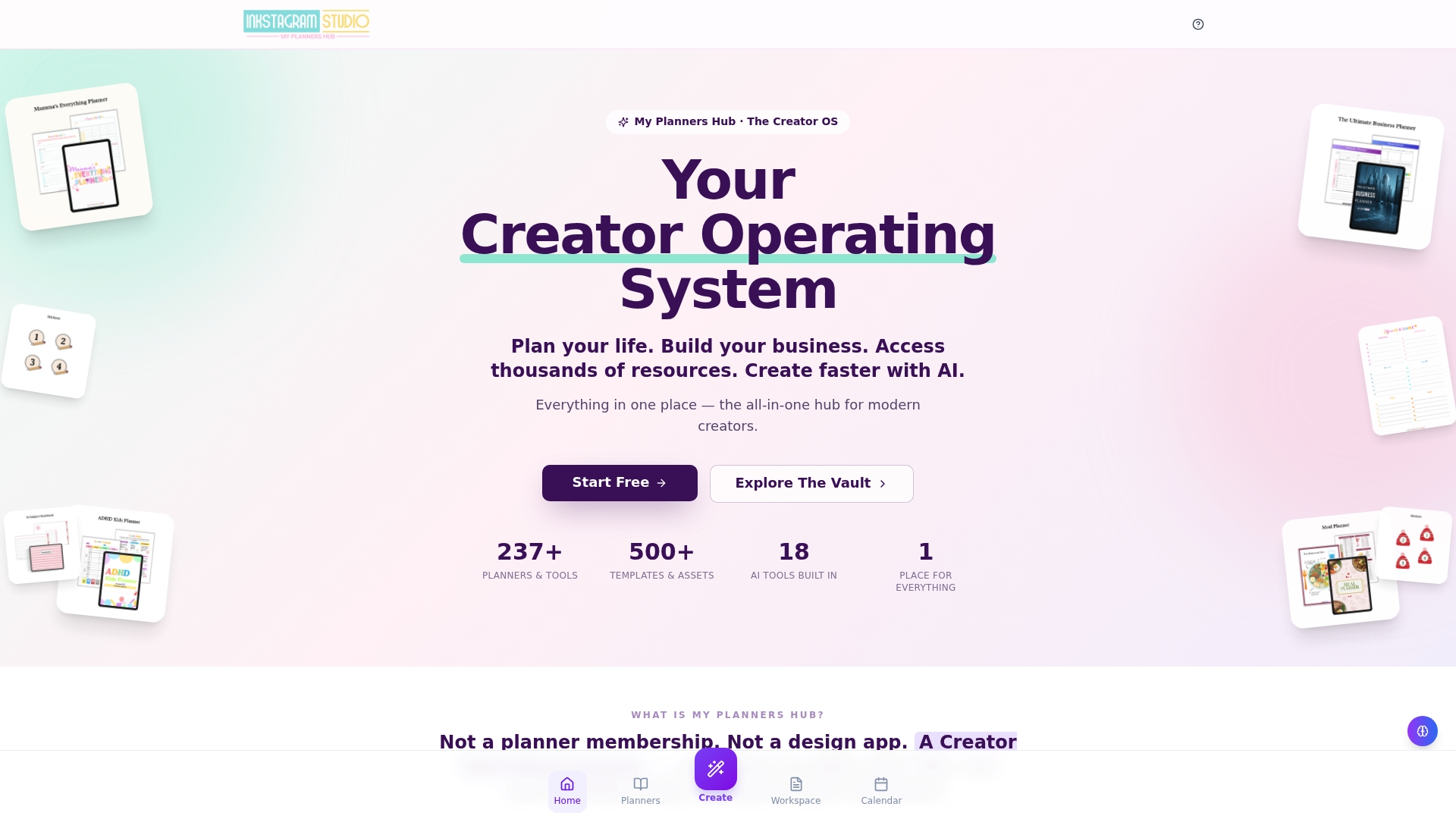
Includes 18 AI tools that cover planner generation, image creation, content strategy, and mood tracking. The platform bundles a large library of templates and a commercial licence for reselling created products. It sits inside the Inkstagram Studio ecosystem, which links creators to a wider marketplace and resources.
Core Features
Members get an all-in-one creator workspace with planning tools, templates, asset libraries and community features that connect creation to sales. The platform pairs planning and routine optimisation tools with AI-assisted utilities for content calendars, images and planner generation. It also grants a commercial licence so creators can package and resell their outputs.
Key Differentiator
My Planners Hub combines planning templates, AI-driven creation tools and business resources inside a single creator environment. That single-space approach reduces the need to jump between separate design, planning and sales tools. The integration favours creators who build products to sell rather than people who only need a personal planner.
Pros
The platform groups planning, creation and business resources so you can design products and manage sales in the same place. Its library of templates and assets speeds up product development, and the built-in AI tools reduce repetitive tasks like draft text and mockups. Membership tiers include a free tier plus paid options, which helps creators test features before committing.
Cons
-
Limited external feedback. Few third-party reviews make it hard to compare performance against dedicated apps.
-
Reported concerns about pricing practices, especially digital product delivery fees, have appeared in some user comments.
-
The wide array of tools can overwhelm new members. The learning curve may slow early productivity.
When It May Not Fit
If you prefer single-purpose apps for image editing or calendar management, this all-in-one approach may feel heavy. Creators who rely on established third-party reviews for vendor selection will find little independent feedback here. If you need strict transparency on delivery fees, reported complaints suggest you should investigate membership terms closely.
Who It’s For
Creators who sell digital products and want planning, AI creation and sales tools in one place will find this appealing. It suits makers who plan product launches, manage content calendars and package templates for resale. Educators and entrepreneurs looking for commercial resell rights also match the platform profile.
Real World Use Case
A digital product creator uses My Planners Hub to generate a planner series with the planner generator and image creator, then organises the release calendar with routine tools. They package the planners and stickers into bundles, apply the commercial licence, and list products on their marketplace channels.
Website: https://myplannershub.app
MyDesigns
At a Glance
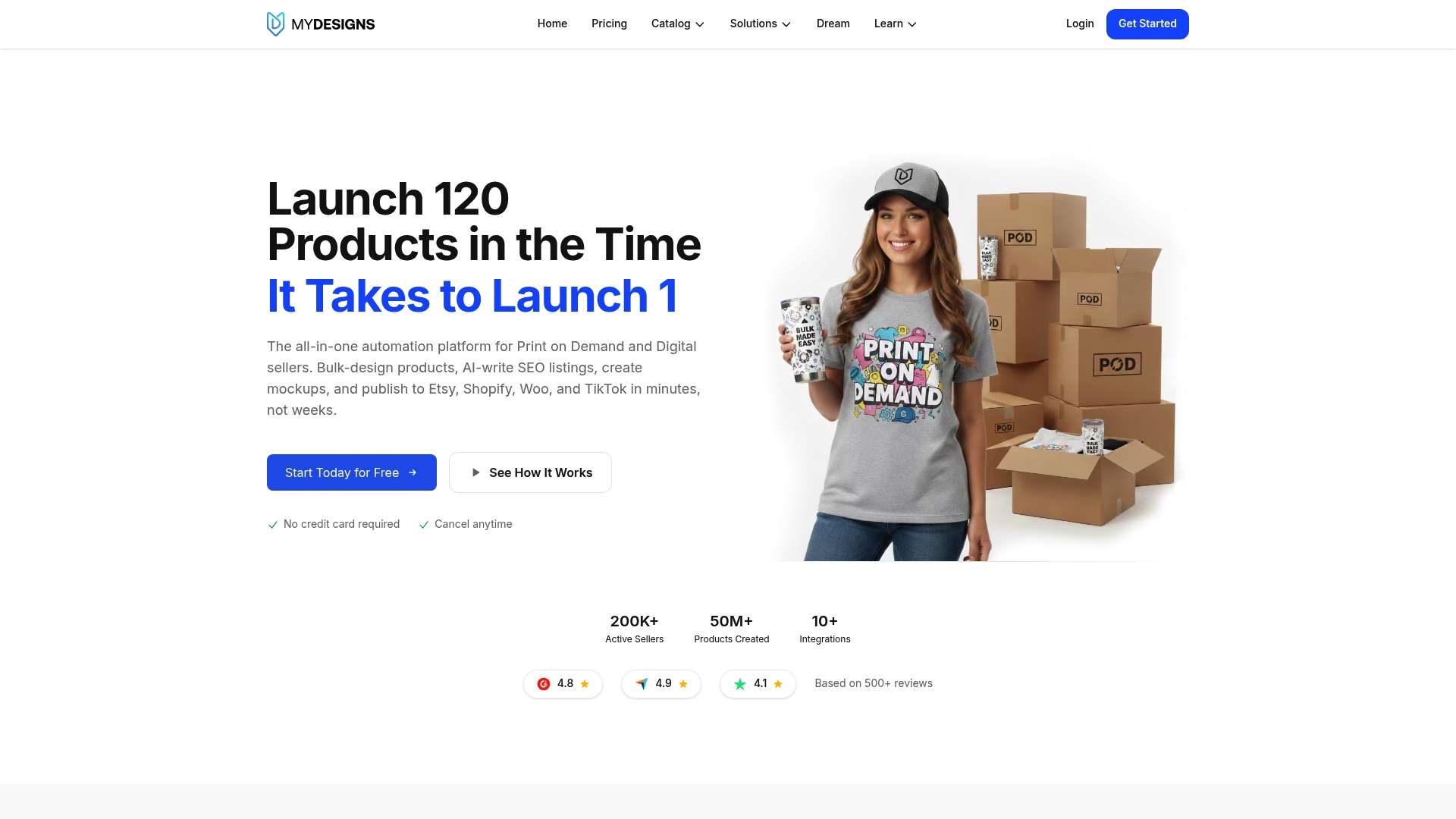
According to the company, MyDesigns can turn a large library of artwork into hundreds of live listings in minutes rather than weeks. That claim highlights the platform focus on high volume publishing and automation for sellers. For creators, this means fewer repetitive tasks and faster time to market for new collections.
Core Features
MyDesigns combines bulk upload and batch product creation with rapid mockup generation so you can prepare dozens of items in one session. The platform includes AI generated SEO listings that produce descriptions and tags, and it publishes listings across multiple storefronts from a single dashboard. Automated fulfilment links design processing to print partners and shipping to reduce manual order handling.
Key Differentiator
The standout trait is the merged workflow of bulk design work, AI led listing optimisation, and direct multi platform publishing. That combination reduces the number of separate tools you must use when scaling a print on demand or digital products catalogue.
Pros
MyDesigns excels at reducing manual upload time by handling batch creation, mockups, and listing generation in one place. Active development and generally responsive support mean features change and improve with regular updates. The fulfilment integrations and multi platform publishing let you test listings across Etsy, Shopify, WooCommerce, and TikTok without rebuilding assets for each store.
Cons
- Some users report problems with subscription cancellation and allege continued charges after they cancelled.
- There appears to be limited control over certain billing steps during cancellation, which has frustrated specific customers.
- A few people say support can be slow or unclear when the issue involves billing and refunds.
When It May Not Fit
MyDesigns is built for sellers managing large catalogues and batch workflows. Sellers who only launch one off products or very small collections may find the platform more complex than they need. If your priority is a tiny shop with hand made, individual listings this platform may feel like overkill.
Notable Integrations
- Etsy
- Shopify
- WooCommerce
- TikTok
Who It’s For
This product suits print on demand and digital product entrepreneurs who plan to scale a catalogue and publish broadly. It fits sellers who want automation for mockups, descriptions, and fulfilment rather than manual listing tasks. If you sell high volumes of SVGs, PNGs, prints, or apparel, this is the profile that benefits most.
Real World Use Case
The vendor describes a seller who batch uploaded 120 T shirt designs, generated mockups in multiple styles, used AI generated descriptions and tags, and published across Etsy, Shopify, and TikTok. According to that account, the process replaced about a week of manual work and let the seller list far more designs in the same time.
Pricing
A free plan is available and paid tiers start from $19.99/month. Higher tiers add more storage, credits, and product processing capacity for larger catalogues.
Website: https://mydesigns.io
Makerly
At a Glance
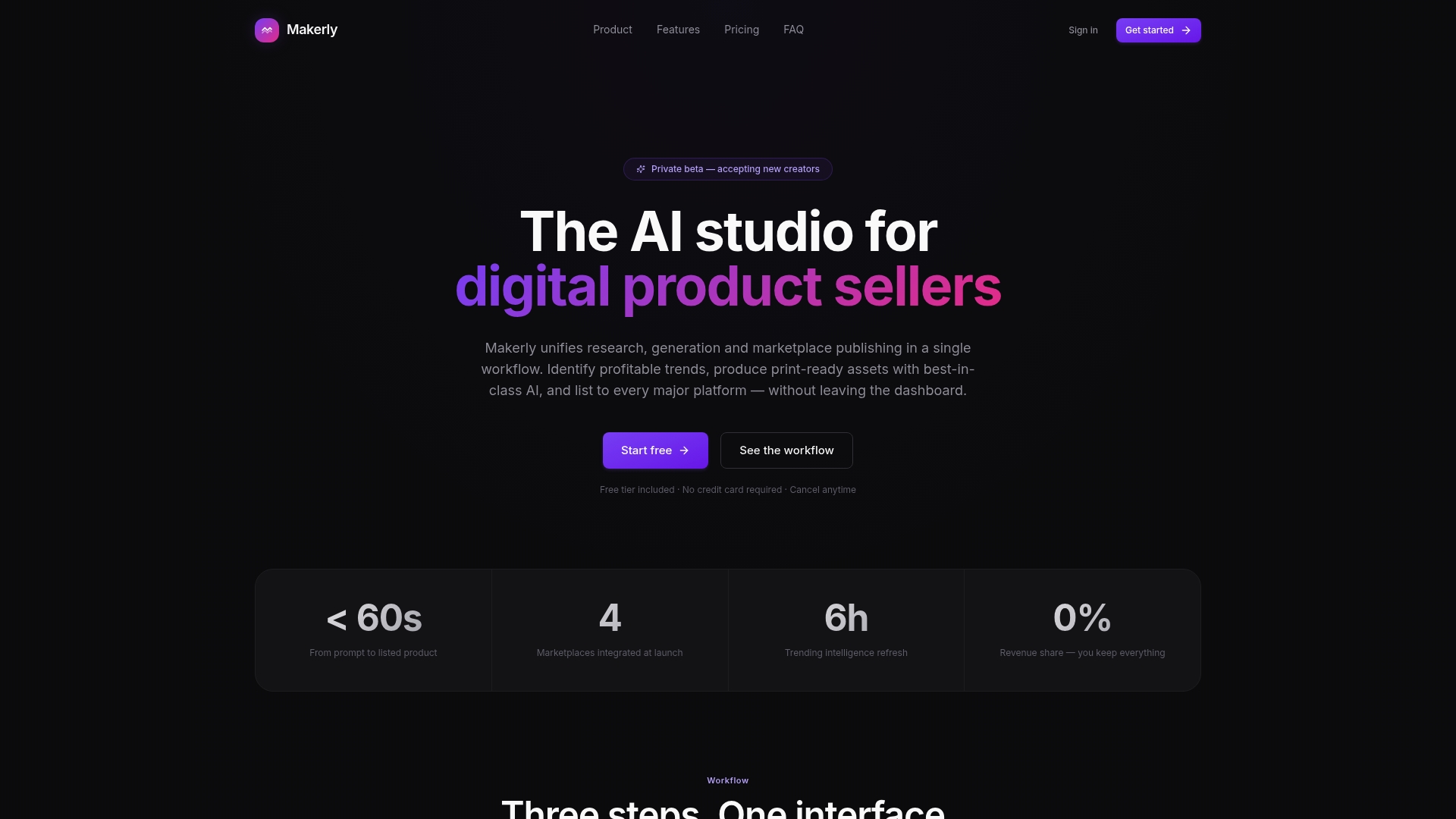
Currently in private beta with a free tier, Makerly bundles market research, content generation, and automated publishing into one workflow. The platform aims to take an idea from trend signal to a live listing across multiple marketplaces. That end to end focus targets creators who test many product concepts quickly.
Core Features
Makerly provides a unified research workflow that monitors market signals and scores ideas for viability, then generates assets across printable art, planners, mockups, and listing copy. The platform supports an auto create queue to produce and push items continuously, and it connects to marketplaces for direct publishing. Notion and Pinterest integrations help you capture ideas and visual references.
Key Differentiator
The standout is an all in one AI powered workflow that joins market scanning, content generation, and distribution in the same product. Most competitors force you to stitch separate tools for research, design, and publishing. Makerly focuses on rapid experiment cycles for sellers who want to publish many small tests.
Pros
Makerly replaces multiple tools with a single workspace, which shortens handoffs between research and listing creation. Its pricing model avoids per generation fees with a flat subscription, so creators who produce many assets pay predictably. The platform also advertises full ownership of created files and direct publishing to Etsy, Gumroad, Payhip, and Redbubble.
Cons
-
Multiple reports and user reviews allege scams, unauthorised charges, and poor customer support. Treat these as reported complaints rather than verified facts.
-
Some users report delivery failures and inconsistent content quality. That can raise extra workload if you must correct or reject generated assets.
-
There are allegations of fraudulent billing and untrustworthy charge handling. Consider payment safeguards before subscribing.
When It May Not Fit
If you require proven customer support and verified billing history, this private beta may be a risky choice. If you expect guaranteed content quality for premium listings, the platform’s reported variability may create extra editing work. Organisations that need audited compliance or formal vendor references will likely need a different vendor.
Notable Integrations
- Etsy
- Gumroad
- Payhip
- Redbubble
- Notion
Who It’s For
Serious individual digital product sellers and creators who run frequent experiments across marketplaces will find Makerly relevant. It suits people who prioritise speed and pipeline automation over polished, hand crafted single releases. Full time sellers with multiple storefronts can use it to scale listing volume.
Real World Use Case
A full time seller uses Makerly to scan for trending niches, generate printable art and listing descriptions, then publish across Etsy and Gumroad automatically. That workflow reduces manual copying between tools and speeds up A B testing of product variations. The seller still reviews items for quality before promotions.
Pricing
Makerly offers a Free tier, then a $19/month Starter plan and a $49/month Creator plan. The vendor presents subscription pricing as flat rather than charging per generation.
Website: https://makerly.net
Comparison of alternatives
Comparing these platforms reveals distinct features and workflows, catering to diverse creator needs in the digital product creation space.
Integration and customisation features
Advanced Planner Designer excels in offering an all-in-one digital product creation studio tailored for marketplaces like Etsy and Shopify. It integrates AI-powered design tools with a diverse asset vault, allowing users to produce planners, stickers, and other digital products efficiently. My Planners Hub provides a platform boasting enhanced planning utilities, though its focus on content strategy may appeal more to educators or organisers with extensive launch planning requirements. MyDesigns sets itself apart through its automation capabilities for bulk upload and large-scale batch creation, perfect for extensive catalogues.
User-friendliness and accessibility
Advanced Planner Designer provides a streamlined user interface, making it accessible to creators with varying levels of technical expertise. However, there is a learning curve associated with its AI-driven tools. MyDesigns offers streamlined workflows for seasoned marketers acquainted with cataloguing, while My Planners Hub’s multifaceted approach may overwhelm novices initially, despite its potential.
Best fit
- Creators seeking an end-to-end solution for designing, customising, and exporting shop-ready kits should opt for Advanced Planner Designer.
- Individuals who rely on companion resources, or wish for integrated business strategies with AI-driven tools, may find My Planners Hub to be an ideal companion.
- Professionals managing extensive digital catalogues needing bulk automation and cross-platform publishing will benefit from MyDesigns.
Our pick
Advanced Planner Designer stands out due to its kit-based workflow, especially for creators prioritising marketplace-specific asset preparation. While each platform offers unique strengths and suits different scenarios, Advanced Planner Designer uniquely simplifies producing, customising, and publishing products efficiently within a single streamlined environment.
Choose the platform that best combines creative tools and workflow automation for digital art products.
| Product | Core Feature | Key Differentiator | Pricing | Notable Limitation |
|---|---|---|---|---|
| Advanced planner designer | AI-powered asset generation | Buildable kits for shop-ready exports | A$0–A$97 | Learning curve to master tools |
| My Planners Hub | Planning and creation tools | Integrated workspace with commercial licence | Free–$19.99/month | Limited external feedback and delivery fees |
| MyDesigns | Bulk design and publishing | AI-led SEO listings and multi-platform support | Free–$19.99/month | Issues with subscription cancellations |
| Makerly | Market research and publishing | End-to-end AI workflow for rapid product testing | Free–$49/month | Allegations of billing and content quality |
Challenges When Choosing Digital Art Marketplaces for Creators
Finding the right digital art marketplaces can feel complicated when you must juggle multiple tools for product design, mockups, and listings. Many creators struggle with patching together separate apps, which slows down publishing and adds extra steps.
Advanced planner designer offers a unified solution by providing complete kits that bundle planners, covers, stickers, mockups, and listing visuals in one place. This makes it easier to tailor products and export shop-ready assets for Etsy, Shopify, and Amazon KDP. With proven support for over 10,000 creators and more than one million products generated, Advanced planner designer addresses these common pain points with powerful AI tools that speed up product creation without extra hassle.
Explore how Advanced planner designer can simplify your digital product creation process at Advanced planner designer. Unlock your creativity and focus on selling by building your next planner kit with ease and efficiency.
FAQ
What features does Advanced Planner Designer offer for digital product creation?
Advanced Planner Designer provides AI-powered planner and cover generation alongside an extensive asset vault for remixing and customising artwork. This approach allows you to create complete kits that integrate elements like mockups and marketing visuals all in one place. You can streamline your design process and publish high-quality products quickly.
How does My Planners Hub compare to Advanced Planner Designer?
My Planners Hub is known for its extensive library of templates and a commercial licence that allows reselling products. This platform excels at providing a broader range of AI tools for planning and content generation. In contrast, Advanced Planner Designer focuses on combining AI-generated design with a complete kit workflow, making it ideal for creators who need a singular environment for developing and publishing digital planners swiftly.
Which platform supports quicker publishing for digital planners?
Advanced Planner Designer stands out for exporting shop-ready assets and listing copy for platforms like Etsy and Shopify. This feature reduces the repetitive setup work often required with other tools, enabling you to publish more products efficiently.
Can I expect good customer support with Advanced Planner Designer?
While Advanced Planner Designer has responsive support, some users may experience a learning curve with the AI tools and interface. Investing some time in learning the platform can help you better utilise its capabilities for designing and selling digital products.
What pricing options are available for Advanced Planner Designer?
Advanced Planner Designer offers a tiered pricing structure starting from A$0 up to a one-time fee of A$97, alongside monthly plans that cater to different usage needs. You can select a tier that best matches how many kits you plan to produce each month.